

Did you know that electronic waste is the fastest growing waste stream globally?


The United Nations report, Global E-Waste Monitor 2024, details the current state of world-wide electronics recycling. The report estimates that only 22.3% of the total electronic waste generated in 2022 was formally collected and recycled. The rest of the e-waste went directly into landfills and incinerators. This is not only wasteful of valuable materials, but it is also dangerous because many electronic components possess extremely toxic elements, including lead, beryllium, mercury, arsenic, nickel and cadmium.
Page Contents
Riderwood On-campus Collection

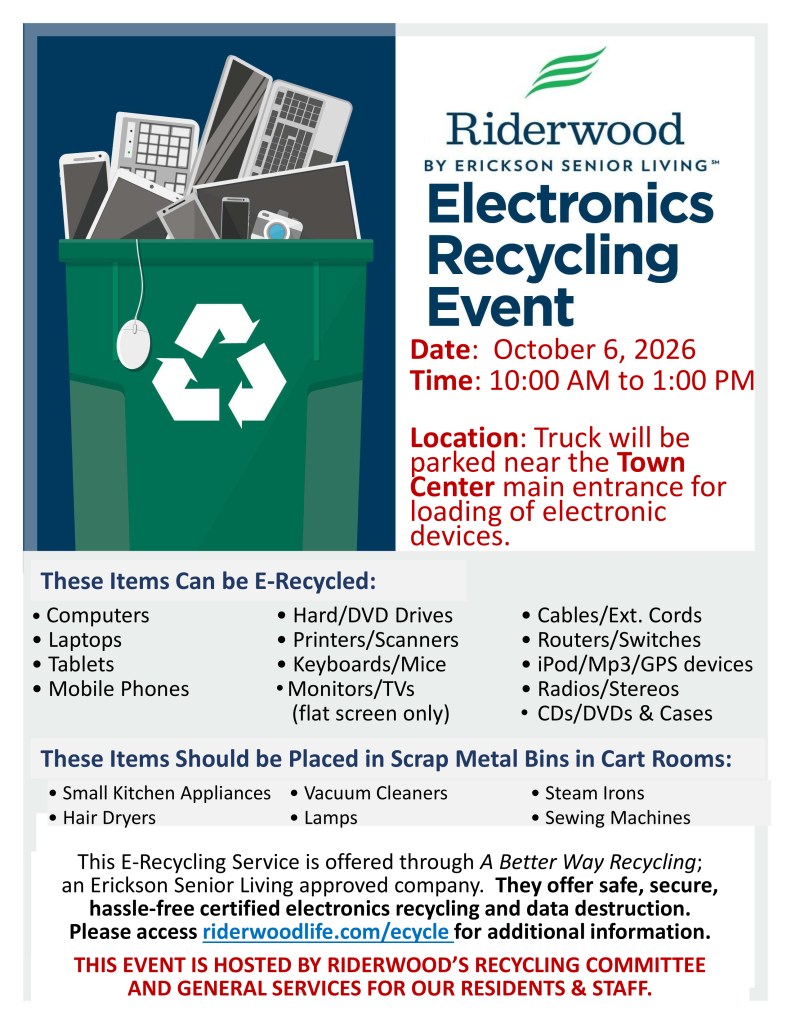
The RAC Recycling Committee and Riderwood General Services are now sponsoring Electronics Collection Days every six months, in April and October. The next Collection Day is October 6, 2026. The collections are managed by A Better Way Computer Recycling, a local electronics recycling company certified for data destruction and proper recycling of electronic components. If you need help to transport your bulky computers or printers, call General Services ((301) 572-8355) to arrange transportation (a $15 charge to your resident account).
Here is a summary of the main acceptable and unacceptable items. CLICK on the image to view it in a new window to print out.

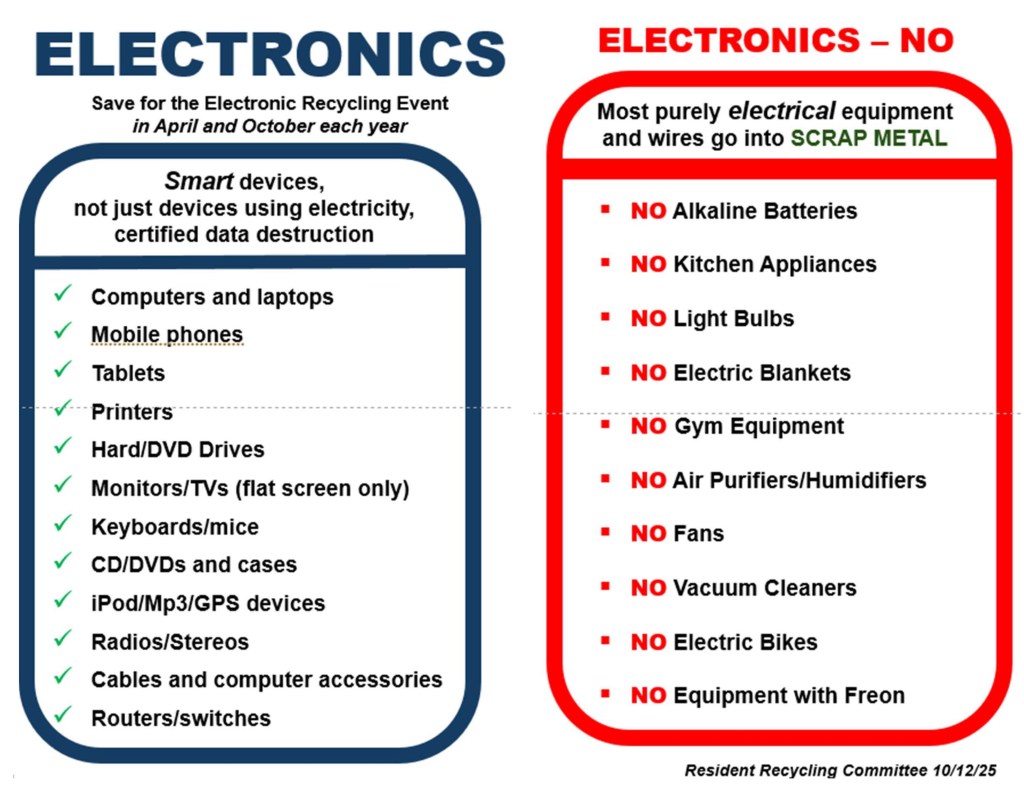
For a detailed list of acceptable and unacceptable items on the vendor’s website visit
Lists of Acceptable and Unacceptable Electronics
For Apple iPhones and iPads, they recommend removal of iCloud activation locks and personal data prior to recycling.
Instructions to Prepare iPhones and iPads
Local Recycling Options
Phoenix Computers in Rockville is a local non-profit organization that will refurbish your not-too-ancient computer and donate it to organizations and individuals who otherwise could not afford it:
Best Buy — The closest location (now in Laurel) to drop off your electronic devices and accessories. The website lists all the electronics they accept, and a FAQ describes how they are recycled.
Staples — Local stores also recycles electronics; their website lists what can and can’t be recycled.
Preparing to Recycle Devices with Personal Data
If you are using Riderwood’s Electronic Collection, then it is not critical to clean the memory on your devices. A Better Way Computer Recycling is R2 certified to perform data destruction, prior to refurbishing a device or recycling device components. However, if you are recycling your device with one of the other local organizations, then you should consider taking the extra steps to clear personal data from your device.
How to Prepare a Computer for Recycling
There are 3 steps to prepare your old computer for recycling.
- Back Up Your Files: Back up any documents, photos, videos, and other files saved on your computer.
- Transfer Software: Ensure that any licensed software can be transferred to the new computer.
- Wipe Your Hard Drive: After backing up the necessary files, you then want to wipe the drive.
Here is an article that gives details on these steps for both PCs and Macs.
Ready to Recycle? How to Properly Prepare Your PC for Disposal | PCMag
How to Prepare a Smart Phone for Recycling
Apple provides a support page with basic information about recycling your iPad or iPhone.
What to do before you sell, give away, or trade in your iPhone or iPad – Apple Support
For Android phones, this article offers some guidance.
How to wipe your Android phone before selling or trading it in – The Verge
And Best Buy offers advice covering both phones.
Prep Your Device for Trade-In: Geek Squad – Best Buy
Questions? Send email to recycling@riderwoodlife.com.
Last updated 1/2/26